
Method
A measured path from evidence to report
Human Response Lab separates preparation, measurement and interpretation so each private report stays grounded in the evidence you provide.
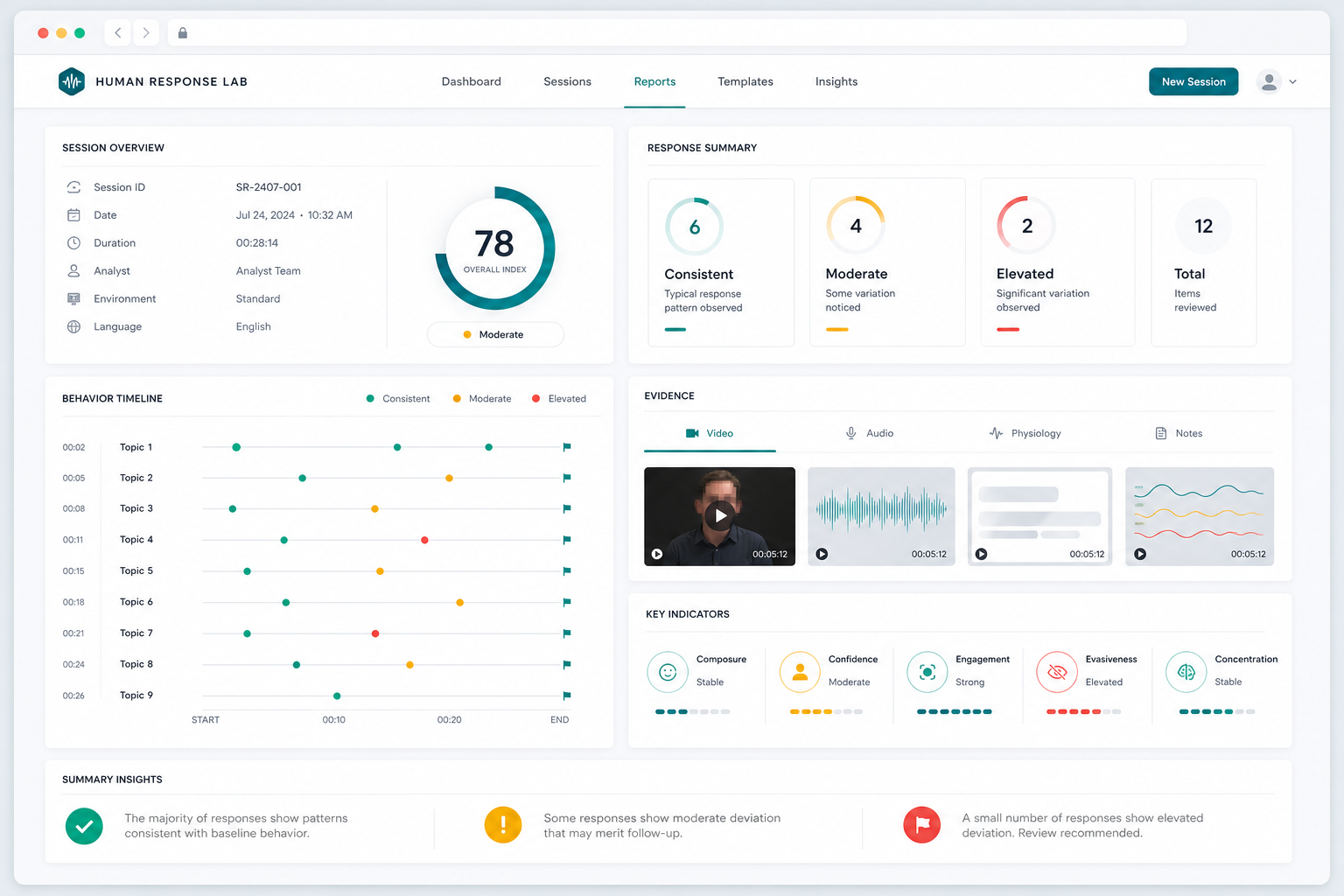
Workflow
What happens after you start a review.
Each stage turns the file you provide into a clear, question-led report you can inspect and download.
-
01 Focus
Choose the evidence type
Start with video, voice, message screenshots or a text export. Add a review question so the report knows what issue, answer or exchange deserves attention.
- Video with speech and visible response
- Audio-only recordings and voice notes
- Conversation screenshots
- WhatsApp, email, XML and plain text exports
-
02 Protect
Create a private upload session
Your evidence is connected to a private report session and checked before review begins, keeping the upload and finished report within one controlled journey.
- Private session link
- Evidence safety checks
- Protected report access
-
03 Prepare
Turn raw evidence into reviewable material
Recordings are prepared for transcript, speaker timing, response delays, pauses and sound checks. Screenshots and exports are organised around readable wording, chronology, sender labels and context.
- Transcript and speaker timing
- Response delay and pauses
- Message order and context
- Readable text and conversation structure
-
04 Measure
Separate signals by evidence type
Video reports can include visible movement signals. Voice reports stay focused on speech and timing. Screenshot and export reports inspect wording, topic movement, chronology and consistency.
- Speech and acoustic patterns
- Visible movement where available
- Wording and consistency review
- Text chronology and sender labels
-
05 Report
Generate a readable behavioural review
The final report answers the review focus first, then shows the observations, evidence coverage and follow-up questions behind that answer.
- Main finding and evidence summary
- Question-by-question support
- Confidence and next questions
Evidence Routes
The analysis changes with the material.
Each evidence route concentrates on the detail it captures best, giving voice, video, screenshots and text exports a report designed around their strengths.
Video
Best when the recording shows both what was said and visible response behaviour.
- speaker transcript
- answer timing
- blink-like activity
- mouth, brow and head movement
Voice
Useful when you have spoken answers, phone audio, interviews or voice notes without camera footage.
- speaker timing
- hesitation and pauses
- speech-pattern changes
- transcript consistency
Text Exports
Useful when the evidence is an exported WhatsApp chat, email file, XML, CSV, JSON or plain text conversation.
- sender labels
- timestamps where present
- directness review
- conversation coverage and context
Report Clarity
See the finding and the reasoning behind it.
Changes, consistency, confidence and evidence coverage are presented together so you can understand how the report reached its answer.
Evidence prepared for a clear answer
Transcripts, timing, sound, visible movement or message structure are organised before the report writes its plain-English findings.
Clear levels guide your attention
Low, moderate, elevated and mixed levels help you see which answers or exchanges deserve the closest reading.
Evidence quality stays visible
The report shows how much usable material supported each finding, helping you distinguish a strong observation from one that needs more context.
Your Private Report
Choose the evidence and tell us what matters.
Select video, voice, message screenshots or a text export, add your review question and receive a professional report you can download.